The KODAK Slide N Scan is designed to make digitizing a box of family negatives and slides a manageable home project, with a built-in screen for previewing images and direct saving to an SD card.
This kodak slide n scan film & slide scanner review looks at its format support, easy-load workflow, and the details to weigh before choosing it.
KODAK Slide N Scan Review Summary
The quick verdict
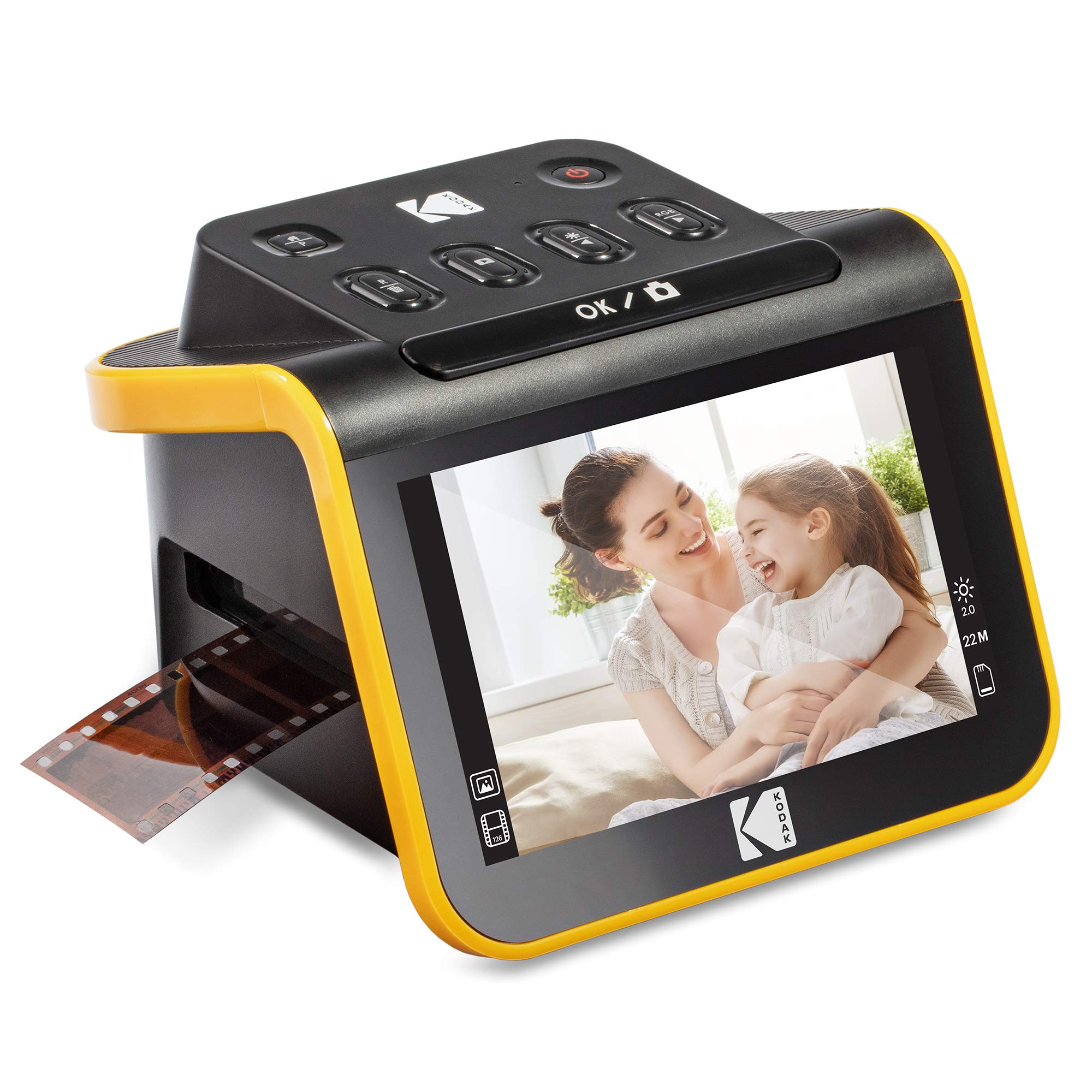
12,000+ ratings
Read Amazon ReviewsKODAK Slide N Scan
A practical fit for families who want to preview and save common film formats directly to an SD card, with straightforward on-device editing.
- Converts color and black-and-white negatives and slides to JPEG digital files.
- Supports 135, 110, and 126 film and slides, along with 50mm slides.
- Uses a 5-inch LCD with a wide viewing angle for image preview and gallery viewing.
- Quick-feeding tray is designed to support continuous loading.

Pros
- Supports several familiar family-film formats, including 135, 110, and 126.
- Large built-in screen makes it easier to preview and browse images during a scanning session.
Consider before buying
- An SD or SDHC card must be purchased separately to save scans directly.
- The 22MP output is described as interpolated, which may not satisfy buyers who need maximum detail for large prints or archival reproduction.
Read the full review summary
The Slide N Scan combines a 5-inch LCD, quick-feeding film tray, and one-touch capture controls in a self-contained setup.
It supports 135, 110, and 126 negatives, plus slides in those formats and 50mm slides; the included adapters and holder help organize the different film types.
Scans can be previewed and edited on the device, then saved to a compatible SD or SDHC card.
This design suits someone who wants to work through personal archives at home without relying on a computer for each capture.
It offers useful control over film type, color, brightness, and date or time assignment, while the large screen also supports casual viewing.
Keep in mind that the SD card is sold separately, and the stated 22MP output includes interpolation, so buyers with demanding archival or print-quality goals should consider whether that is sufficient for their needs.
The buying factors
KODAK Slide N Scan Scorecard
Editorial scores reflect listed features and buyer fit; they are not laboratory measurements or customer ratings.
Film format coverage
Handles 135, 110, and 126 film, with support for 50mm slides as well.
Preview and sharing
The 5-inch LCD and gallery mode make it convenient to review scans on the device.
Loading workflow
A quick-feeding tray is designed for continuous loading, and several holders and adapters are included.
On-device editing
One-touch capture is paired with options for film type, color, brightness, and date or time.
Standalone saving
Direct SD or SDHC saving avoids a computer-centered capture workflow, though the card is not included.
Output detail
The described 22MP JPEG output uses interpolation, a consideration for buyers planning large prints or archival work.
Key Features and Specifications of KODAK Slide N Scan
- Converts color and black-and-white negatives and slides to JPEG digital files.
- Supports 135, 110, and 126 film and slides, along with 50mm slides.
- Uses a 5-inch LCD with a wide viewing angle for image preview and gallery viewing.
- Quick-feeding tray is designed to support continuous loading.
- Includes a 50mm slide holder, adapters for 135, 110, and 126 film, a cleaning brush, USB cable, and HDMI cable.
- Offers one-touch capture and editing options for film type, color, brightness, and date or time assignment.
- Saves to SD or SDHC cards up to 32GB; the card is not included. It also connects to USB Type-C-enabled computers.
Pros and Cons of KODAK Slide N Scan
Pros
- Supports several familiar family-film formats, including 135, 110, and 126.
- Large built-in screen makes it easier to preview and browse images during a scanning session.
- Direct card saving and on-device controls can keep the workflow simple.
- Includes film adapters, a slide holder, cleaning brush, and connection cables.
Consider before buying
- An SD or SDHC card must be purchased separately to save scans directly.
- The 22MP output is described as interpolated, which may not satisfy buyers who need maximum detail for large prints or archival reproduction.
- Buyers with film formats outside those listed should confirm compatibility before purchasing.
Who Should Buy KODAK Slide N Scan?
Good fit
Consider the Slide N Scan if you have a collection of 135, 110, or 126 negatives and slides and want a straightforward way to make digital copies at home.
The screen lets you check images as you work, and direct card saving can reduce the number of steps between capture and sharing.
It is also a reasonable option for a family project where convenience and format coverage matter more than a computer-based editing workflow.
Before starting, set aside a compatible SD or SDHC card and check that your film and slide types match the supported formats.
The included holders and cleaning brush are useful practical touches for handling different media during a batch.
Its editing options provide some basic adjustment on the device, so you can make simple choices about film type, color, and brightness as you scan.
Who should skip it
Skip this model if your collection is primarily in a film format other than 135, 110, or 126, or slides other than the listed formats; verify a specific format before choosing a scanner.
If your priority is maximum image detail for extensive restoration or large prints, compare the interpolated 22MP output with your quality requirements before committing.
How the KODAK Slide N Scan Fits a Home Digitizing Workflow
Format support and preparation
The listed support for 135, 110, and 126 film, plus 50mm slides, covers several common formats in family collections.
The supplied adapters and slide holder are intended to make switching media more orderly; identify the formats in your archive first so you can confirm the device suits the bulk of the project.
A screen-centered scanning session
The 5-inch LCD and gallery mode let you preview images on the scanner itself.
Along with one-touch capture, this can make short sessions feel approachable, particularly when you want to review images with family as you work through an album or box.
Saving and moving files
Scans save directly to an SD or SDHC card, with support up to 32GB, and the card is not included.
A USB Type-C computer connection is also listed, while the included HDMI cable offers another connection option; decide how you plan to store and view the JPEGs before beginning.
What the resolution figure means for buyers
The product description gives a 22MP output figure and explains that capture software enhances and resizes images.
Because the figure includes interpolation, it is useful to treat it as an output size rather than a guarantee of captured detail. Buyers planning large prints or detailed restoration should evaluate whether that tradeoff fits their goals.
Alternatives to KODAK Slide N Scan
Slide & Negative Scanners alternative
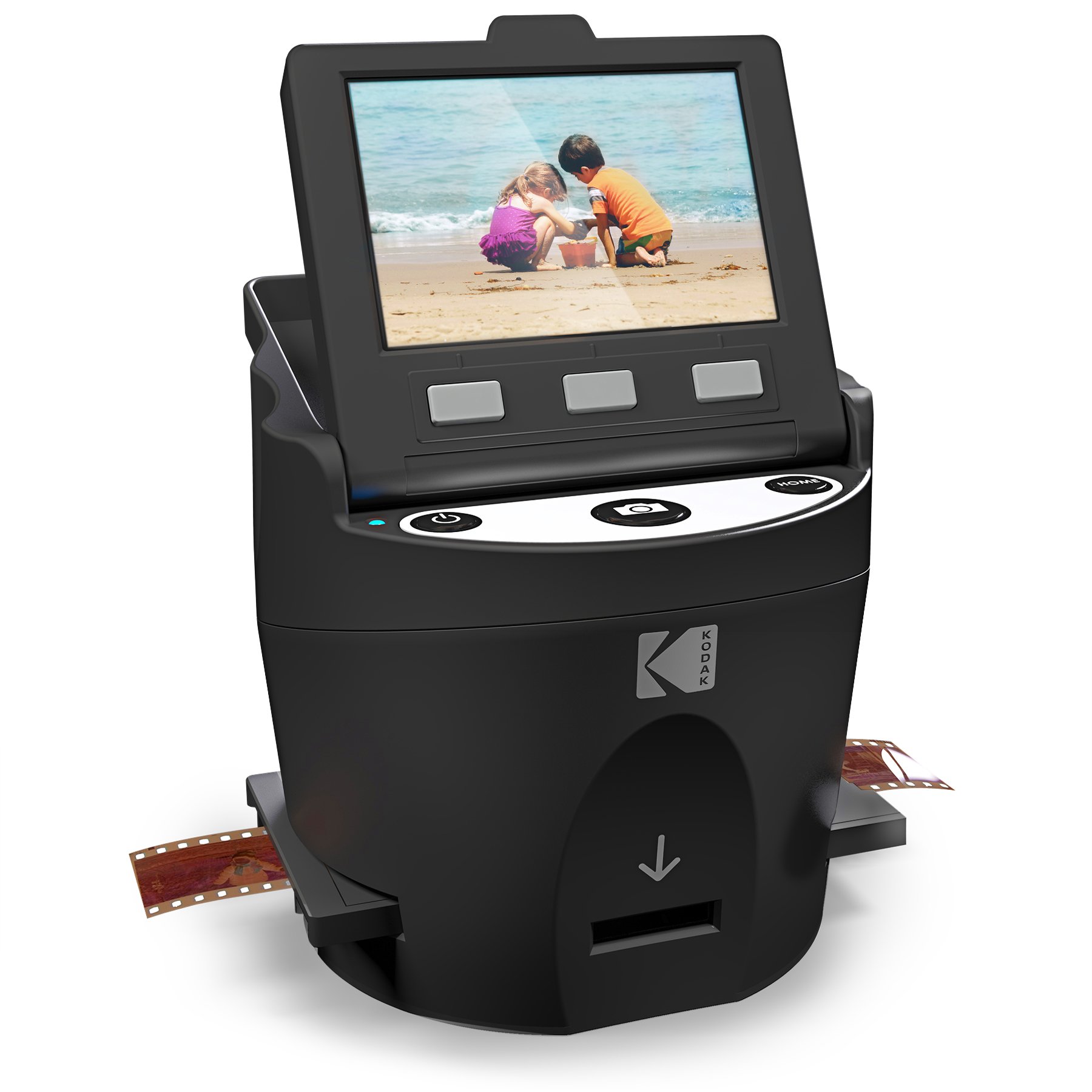
11,000+ ratings
Read Amazon ReviewsKODAK SCANZA Digital Film & Slide Scanner
Choose the Slide N Scan if its larger screen and listed 50mm slide support align with your collection.
The SCANZA may suit you better if Super 8 or 8mm support and a larger stated card capacity are more useful.
- The SCANZA has a 3.5-inch adjustable-tilt LCD and supports 35mm, 126, 110, Super 8, and 8mm film.
- It includes multiple inserts and adapters, offers image RGB and resolution editing, and supports SD cards up to 128GB.
- The Slide N Scan has a 5-inch LCD, supports 135, 110, and 126 film and slides plus 50mm slides, and saves to SD or SDHC cards up to 32GB.
Slide & Negative Scanners alternative
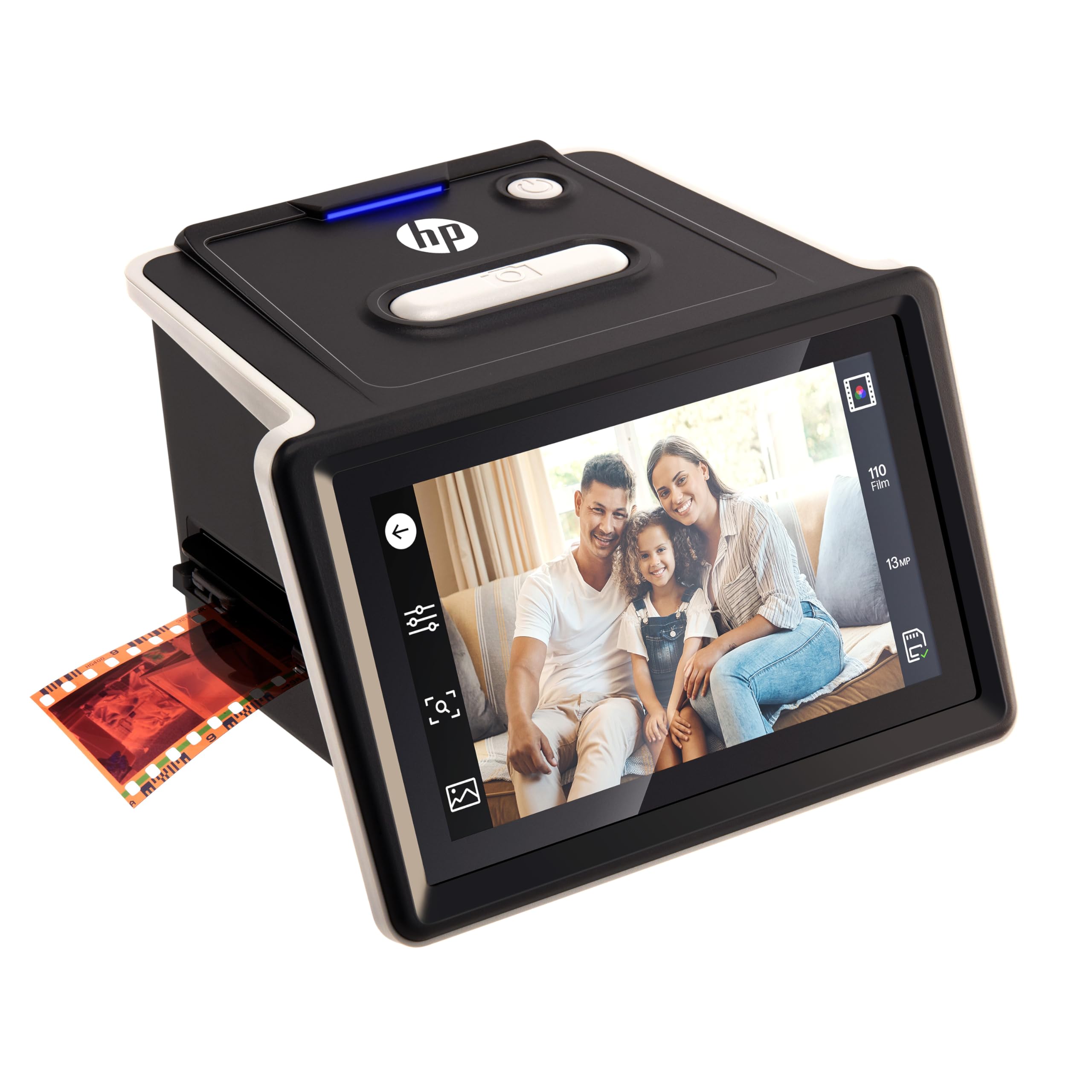
100+ ratings
Read Amazon ReviewsHP Film & Slide Scanner HPFS500
Both are aimed at home digitizing with a 5-inch display and common film formats.
Consider the HP if its touchscreen controls and stated sensor details fit your preferences; the KODAK adds listed 50mm slide support and includes an HDMI cable.
- The HPFS500 has a 5-inch touchscreen, quick-load tray, and support for 135, 126, and 110 film strips and slides.
- It saves directly to an SD card and is described with a 13MP CMOS sensor and 22MP interpolation.
- The Slide N Scan offers a 5-inch LCD, quick-feeding tray, one-touch editing, and support for 135, 110, and 126 film and slides plus 50mm slides.
Is KODAK Slide N Scan Worth It?
The KODAK Slide N Scan is worth considering for families who want an accessible way to convert common negatives and slides, preview them on a built-in screen, and save JPEGs directly to a card.
Its adapters, simple controls, and on-device gallery make it especially suited to casual home archiving.
Plan for a separate SD card, confirm that your film formats are supported, and weigh the interpolated 22MP output against your print or restoration goals.
For a straightforward family digitizing project, it offers a practical balance of convenience and format coverage.
Your review at a glance
12,000+ ratings
Read Amazon ReviewsKODAK Slide N Scan
A practical fit for families who want to preview and save common film formats directly to an SD card, with straightforward on-device editing.
- Converts color and black-and-white negatives and slides to JPEG digital files.
- Supports 135, 110, and 126 film and slides, along with 50mm slides.
- Uses a 5-inch LCD with a wide viewing angle for image preview and gallery viewing.
- Quick-feeding tray is designed to support continuous loading.