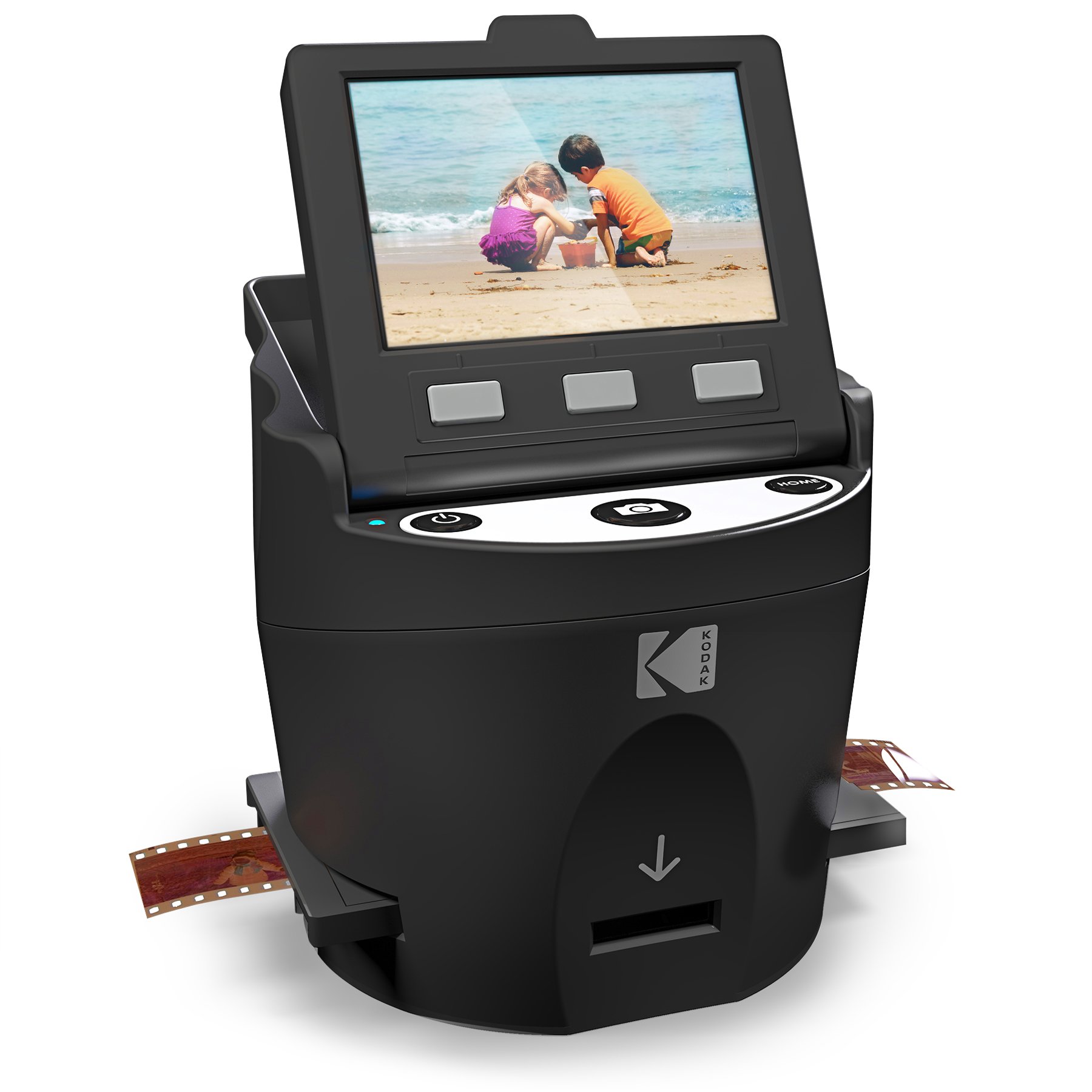
The KODAK SCANZA is a standalone film and slide scanner for turning supported negatives and slides into JPEG files, with an onboard screen for previewing and basic edits.
This kodak scanza film scanner review looks at its wide format support, approachable controls, and the workflow details buyers should plan around.
KODAK SCANZA Review Summary
The quick verdict
11,000+ ratings
Read Amazon ReviewsKODAK SCANZA Film & Slide Scanner
A practical fit for families digitizing supported film formats who want an onboard screen, direct controls, and flexible ways to view scanned images.
- Converts 35mm, 126, 110, Super 8, and 8mm negatives and slides into JPEG digital files.
- Includes multiple film inserts and adapters for loading supported formats.
- Has a 3.5-inch TFT color display with adjustable brightness and a tilt feature for viewing.
- Provides one-touch scanning and options to adjust image RGB and resolution.

Pros
- Supports an unusually broad mix of still-film and movie-film formats for a compact digitizing workflow.
- The built-in screen, gallery, and straightforward scan control make it possible to preview and work with images on the device.
Consider before buying
- An SD card is required for storage but is not included, so buyers need to add compatible media to their setup.
- The supported formats are limited to the five listed types; check any less common film in your collection before buying.
Read the full review summary
SCANZA’s most useful distinction is its support for 35mm, 126, 110, Super 8, and 8mm film, paired with included inserts and adapters for loading those formats.
Its 3.5-inch color display, one-touch scan control, and image adjustments are designed to keep the process centered on the scanner rather than requiring a computer for every step.
It suits someone working through a family archive across several of those formats, especially if previewing images on the device and connecting to a TV or computer are useful.
The SD card is a separate purchase, and the scanner’s format support has a clear boundary: check that your collection fits the listed film types before choosing it.
The buying factors
KODAK SCANZA Scorecard
Editorial scores reflect listed features and buyer fit; they are not laboratory measurements or customer ratings.
Supported format range
Covers five named film formats, including Super 8 and 8mm alongside common still-photo formats.
On-device workflow
One-touch scanning, gallery browsing, and image adjustments offer useful controls on the scanner itself.
Preview and viewing
The 3.5-inch color display has adjustable brightness and a tilt feature, with included cables for HDMI and video connections.
Loading flexibility
Multiple inserts and adapters are included to support the listed formats and simplify loading.
Storage readiness
The scanner supports SD cards up to 128GB, but the card is not included and must be supplied separately.
Setup convenience
The one-touch scan control and included power and connection cables make for a fairly self-contained setup.
Key Features and Specifications of KODAK SCANZA
- Converts 35mm, 126, 110, Super 8, and 8mm negatives and slides into JPEG digital files.
- Includes multiple film inserts and adapters for loading supported formats.
- Has a 3.5-inch TFT color display with adjustable brightness and a tilt feature for viewing.
- Provides one-touch scanning and options to adjust image RGB and resolution.
- Gallery browsing and SD card support up to 128GB; the card is sold separately.
- Includes a USB power cable, HDMI cable, AC adapter, video cable, and film-cleaning brush.
Pros and Cons of KODAK SCANZA
Pros
- Supports an unusually broad mix of still-film and movie-film formats for a compact digitizing workflow.
- The built-in screen, gallery, and straightforward scan control make it possible to preview and work with images on the device.
- Included inserts and adapters help accommodate several supported film types.
- Brightness and tilt adjustments give some flexibility when previewing images on the display.
- The included brush can be used to clean film and the light box before scanning.
Consider before buying
- An SD card is required for storage but is not included, so buyers need to add compatible media to their setup.
- The supported formats are limited to the five listed types; check any less common film in your collection before buying.
- The 3.5-inch display is useful for previews, but buyers wanting a larger viewing area may prefer a different design.
Who Should Buy KODAK SCANZA?
Good fit
Consider the SCANZA if your archive includes a mix of 35mm, 126, 110, Super 8, or 8mm film and you want a scanner that handles those formats with included adapters.
Having a display and gallery on the unit can make it easier to review a batch as you work, while brightness and RGB adjustments provide a basic route to refining the output.
It is also a reasonable match if you value flexible connections: the package includes USB power, HDMI, and video cables, along with an AC adapter.
Before starting, budget for an SD card and verify that your film fits one of the supported formats; the capacity limit is up to 128GB.
For a varied family collection, the broader format coverage is the main reason to choose this model.
Its combination of direct controls and included accessories is intended to keep the digitizing process approachable without making a computer the center of every scan.
Who should skip it
Look elsewhere if the formats in your collection are outside 35mm, 126, 110, Super 8, and 8mm. Those are the formats this scanner is designed to handle, so confirm compatibility before committing.
This may not be the best fit if you specifically want a larger onboard viewing screen or expect storage media to be included. The SCANZA’s screen is 3.5 inches, and an SD card is a separate purchase.
What the KODAK SCANZA Means for Your Film Archive
Five formats in one workflow
Supporting still-photo formats alongside Super 8 and 8mm gives the SCANZA a broad role in a mixed collection.
Its included inserts and adapters are meant to help load those different film types, though buyers should match their actual archive to the named formats before they begin.
A scanner-centered process
The built-in color screen, gallery, one-touch scan control, and RGB and resolution adjustments make core tasks accessible at the device.
That can be convenient when reviewing images as you move through film, while the included computer and video connections offer additional ways to use the scanner.
Plan storage and handling
The scanner can use SD cards up to 128GB, but the card is not part of the package.
Keeping the supplied cleaning brush handy for the film and light box is a practical step before capture, since dust or speckles on those surfaces can leave marks in scanned images.
Alternatives to KODAK SCANZA
Slide & Negative Scanners alternative
12,000+ ratings
Read Amazon ReviewsKODAK Slide N SCAN Film & Slide Scanner
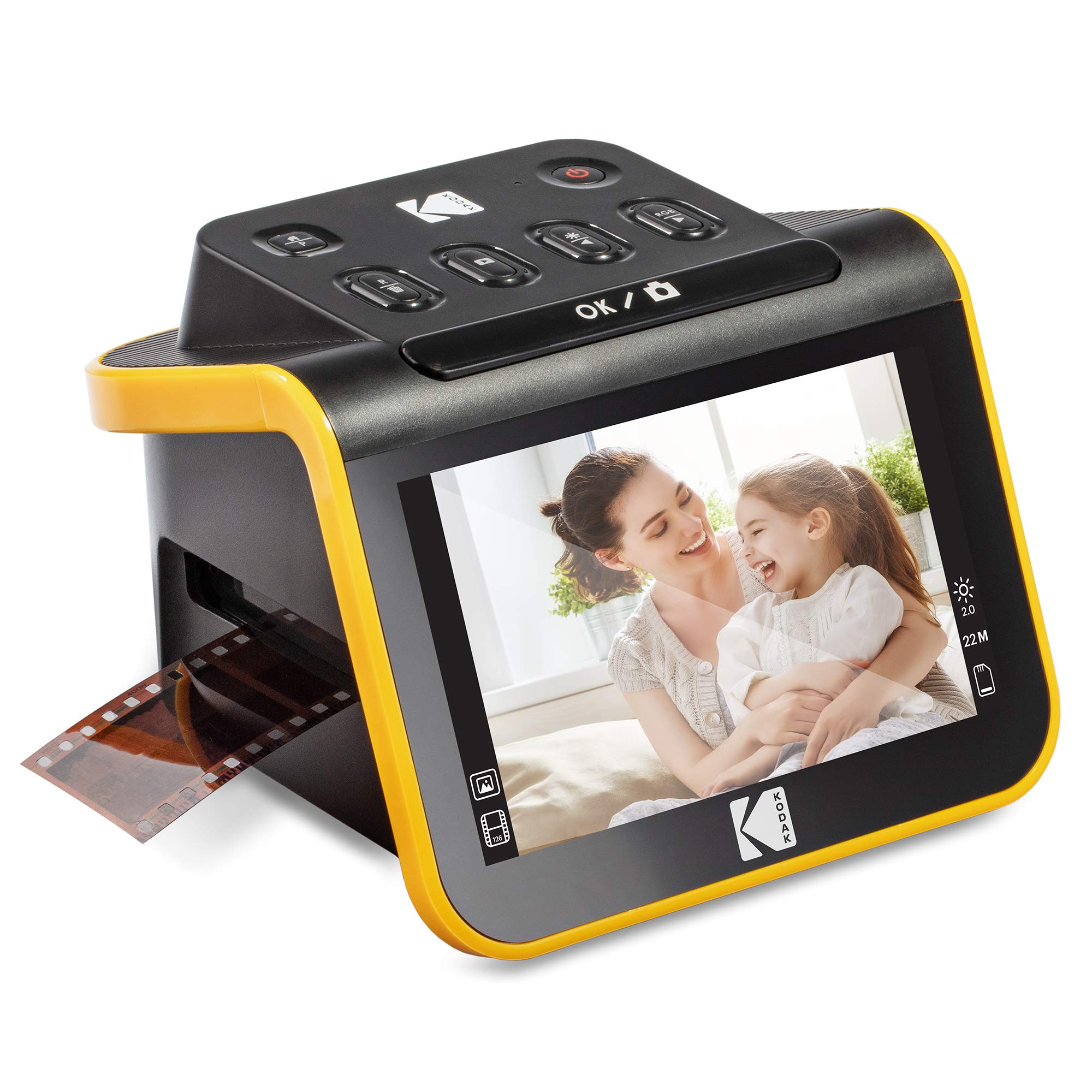
Choose the SCANZA if Super 8 or 8mm compatibility matters; consider the Slide N SCAN if you work with 135, 126, and 110 formats and prefer its larger screen and continuous-feed tray design.
- The Slide N SCAN supports 135, 126, and 110 film and slides, has a 5-inch display, and includes quick-feeding tray technology.
- It supports SD or SDHC cards up to 32GB.
- The SCANZA supports 35mm, 126, 110, Super 8, and 8mm formats, with a 3.5-inch display and SD card support up to 128GB.
Slide & Negative Scanners alternative
100+ ratings
Read Amazon ReviewsHP Film & Slide Scanner HPFS500
The SCANZA is the stronger fit for a collection that includes Super 8 or 8mm.
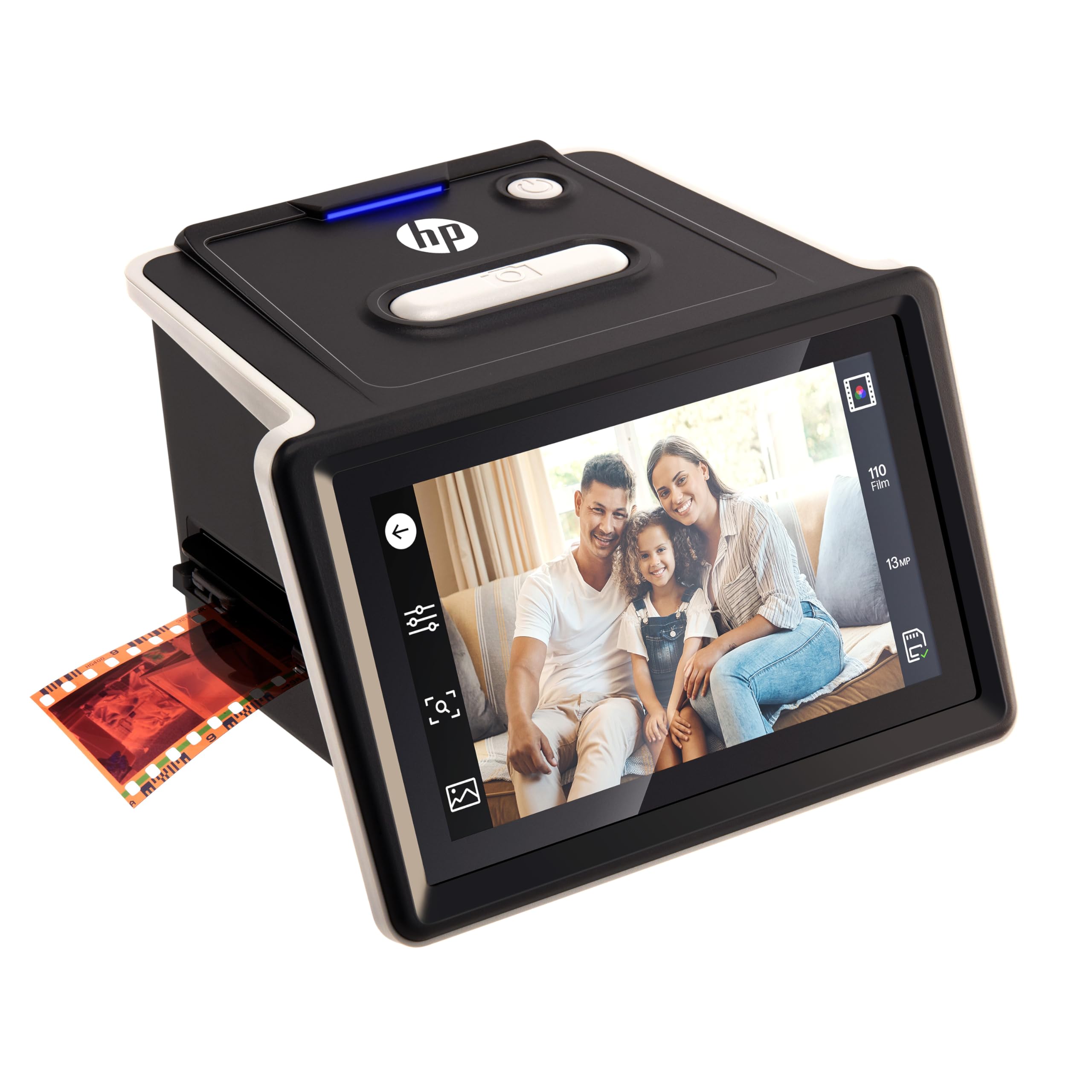
The HPFS500 is worth comparing if your archive is limited to its listed formats and a larger touchscreen with direct SD saving better matches your preferred workflow.
- The HPFS500 supports 135, 126, and 110 film and slides, with a 5-inch touchscreen, a quick-load tray, and direct saving to an SD card.
- Its stated system requirements include Windows 10 or later and macOS 10.15 or later.
- The SCANZA covers five listed film formats, including Super 8 and 8mm, and provides RGB and resolution adjustments on the device.
Is KODAK SCANZA Worth It?
The KODAK SCANZA is worth considering for digitizing a varied archive of supported still and movie film formats. Its broad compatibility, onboard display, included adapters, and direct controls make it a flexible option for home use.
Buy it if your films match the five listed formats and you are comfortable supplying an SD card. Check format fit first, and consider your preferred screen size and loading style when weighing other scanners.
Your review at a glance
11,000+ ratings
Read Amazon ReviewsKODAK SCANZA Film & Slide Scanner
A practical fit for families digitizing supported film formats who want an onboard screen, direct controls, and flexible ways to view scanned images.
- Converts 35mm, 126, 110, Super 8, and 8mm negatives and slides into JPEG digital files.
- Includes multiple film inserts and adapters for loading supported formats.
- Has a 3.5-inch TFT color display with adjustable brightness and a tilt feature for viewing.
- Provides one-touch scanning and options to adjust image RGB and resolution.